By Vellora Labs · Updated October 8, 2026
A viewer can enjoy an explainer and still misunderstand the product. Test the explanation by asking what the viewer believes it does, what they would have to provide, and what happens next. Keep visual preference as a separate question.
Set up the test.
Choose one message and one decision. For an AI product, include any boundary viewers must understand: human review, input requirements, unsupported workflows, or what is simulated. Write the intended meaning in a private researcher note before sessions. Do not show that note to participants.
Save a version ID, runtime, script, and the assets used. Record device, sound/caption settings, playback problems, and whether the viewer has seen the product before. Recruit people with relevant recent experience using a behavioral screener. Avoid recruiting only enthusiastic colleagues.
Before playback: understand the starting point.
- Ask the participant to describe their last relevant task and the tools they used.
- Ask what they already know about the product, if anything.
- Explain that the video is being tested and honest uncertainty is useful.
Do not explain the product’s benefit first. If you want to compare two versions, decide the allocation in advance. Showing both to the same person can be useful for preference, but their second explanation has already been influenced by the first video. Do not present that as an independent comprehension comparison.
First pass: watch without coaching.
Play the video once at normal speed with the same presentation setup for each person in that round. Note pauses, replay requests, and visible technical problems. If the audio fails, mark the session as compromised instead of classifying the participant’s answer as misunderstanding. Allow accessibility needs to shape the setup and document them.
After playback: collect an unaided explanation.
Hide the video before asking these questions. Let people finish before correcting them.
- How would you describe this product to someone who missed the video?
- What would you need to bring or do to get started?
- What do you think the product handles, and what would still be your responsibility?
- What would you expect to see after taking the next step?
- Which question would you need answered before trying it?
Then reconnect the idea to the earlier real task: where, if anywhere, could it have fitted? An unclear answer is evidence to explore, not a reason to give a sales explanation.
Second pass: locate the source of confusion.
Only after recording the first explanation, replay the relevant scene and ask what led to the interpretation. Mark answers as “after replay” or “after moderator explanation.” Those answers should not replace the unaided result. Ask about visual preference last so it does not dominate the discussion.
Use a small, explicit coding system.
| Code | What to record | Possible response |
|---|---|---|
| Meaning | Belief that conflicts with the intended message | Revise the claim or scene |
| Missing detail | A necessary input, limit, or next step remains unclear | Add a concrete demonstration |
| Missing proof | The meaning is clear, but the claim is not trusted | Provide verifiable evidence |
| Poor fit | The concept is understood but has no relevant use in this person’s workflow | Revisit audience or problem |
| Playback | Audio, captions, device, or loading failed | Fix delivery and repeat the test |
For each code, retain the quotation or observation, scene timestamp, stimulus version, and an alternative explanation. More than one code can apply. Do not generate a single “clarity score” from these labels without defining and testing how the score is calculated.
Turn the result into one revision.
Write a short decision memo: what changed in your understanding, which evidence supports it, what contradicts it, and which edit you will test next. A clear view of the message still does not prove future use or purchase. Those questions require a realistic behavioral follow-up.
Example, not a finding: if viewers infer automatic sharing from a fast animation, replace the transition with an explicit review-and-confirm step. Keep the rest of the video stable when retesting so you can investigate that change.
Prepare the next version.
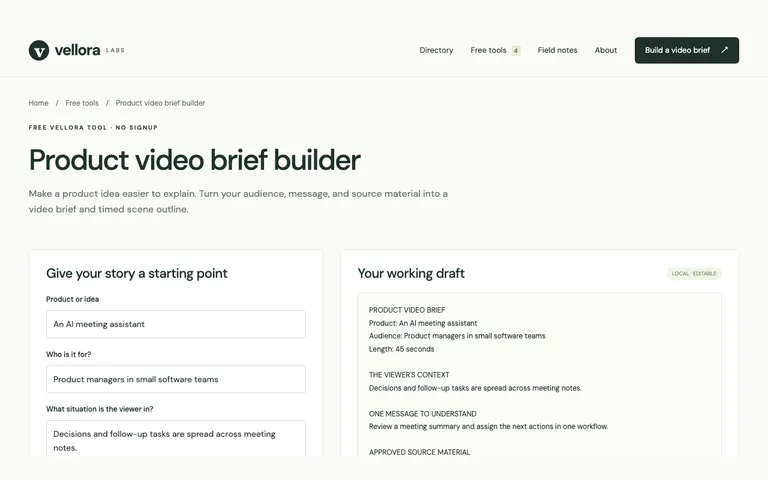
Use the worked brief template or interactive brief builder. TapVid can turn a script and supplied assets into an editable explainer. It is a product from the team behind Vellora; it does not replace the research test described here. Explore TapVid →
Method note
This is an original Vellora testing protocol. Maze’s guide is background reading on goal definition and neutral concept tests, not evidence that this particular protocol improves conversion. Reviewed October 8, 2026.